Find every guest
in every photo.
AI event photo sharing for professional photographers. Guests scan your QR code, take a selfie, and face recognition delivers every photo they're in, including group shots, live as you upload. All in your studio's branding.
From shutter to guest's phone in four steps
Deliver faster. Look premium.
A complete photographer photo delivery platform: from the QR poster at the venue to the photo on every guest's phone.
Selfie photo search that works while you shoot
Each new upload is optimised, scanned for faces and compared with every guest who has taken a selfie at that event. Matching photos are pushed to their phones without a refresh. Faces are matched only within the same event, on our own servers, with no third-party face APIs.
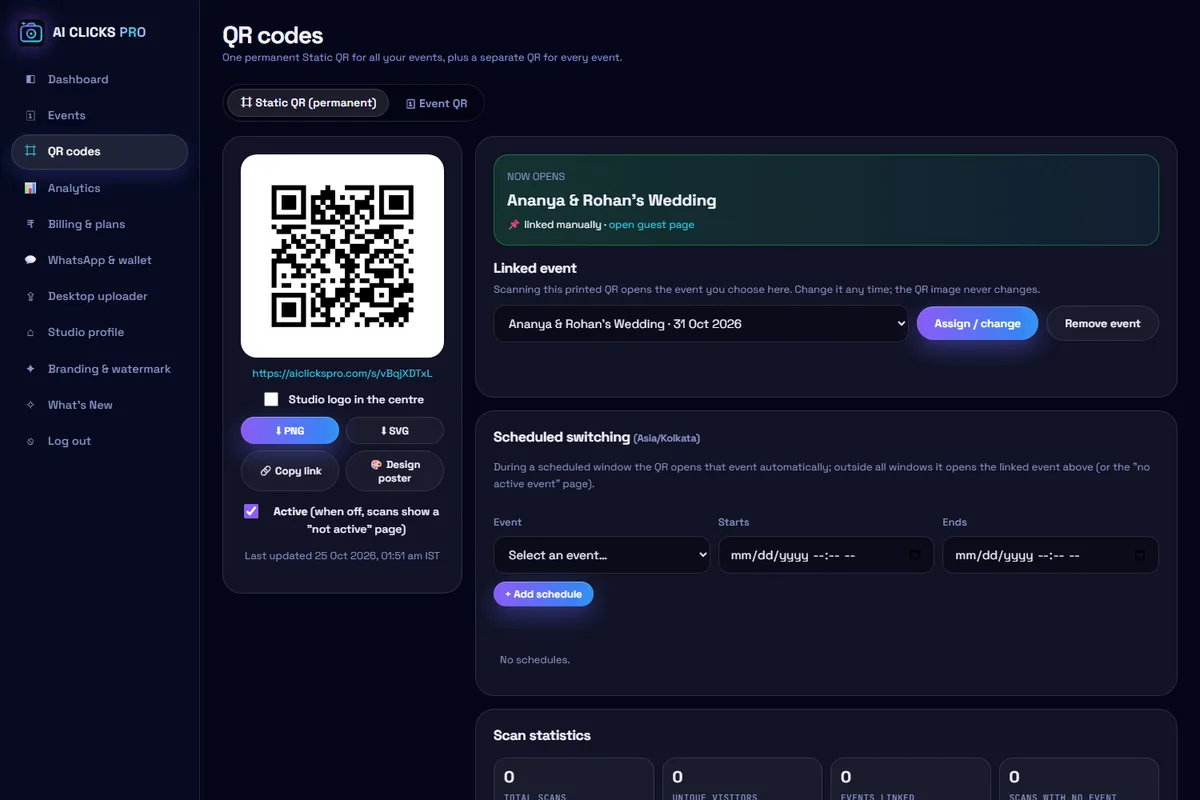
ONE QR CODE. EVERY EVENT.
Print your studio QR code once. Link it to today's event, then reuse the same QR for your next event. No repeated QR printing required.
A new QR code and a new print run for every single event.
The same printed QR opens the one event currently linked to it. Change the link from your dashboard whenever the next event starts.
- 1Print onceYour studio QR on a poster, standee or table card
- 2Link eventChoose today's event in the dashboard
- 3Guests scanThey reach the event linked right now
- 4Reuse for next eventSwitch the link; keep the same print
Every event still has its own dedicated Event QR as well. The number of events you can run depends on your plan; reusing a Static QR does not add events.
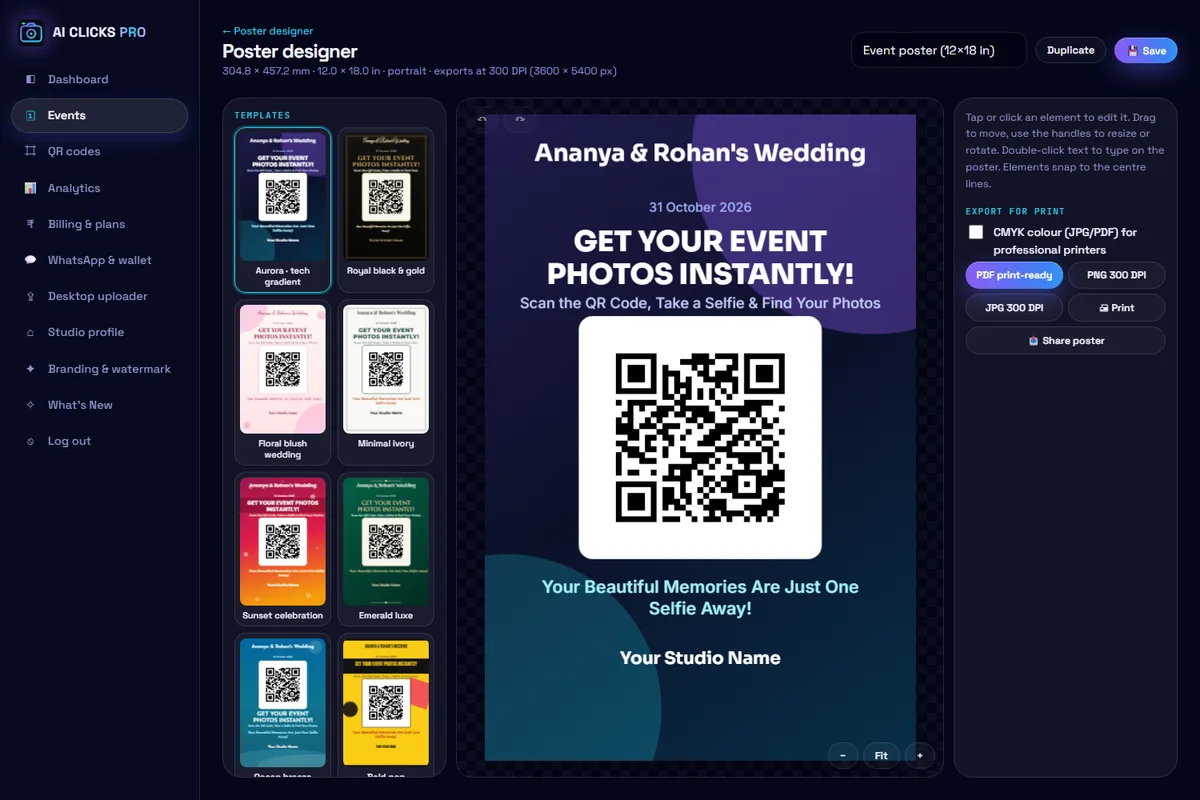
Design and print QR posters without Photoshop
Customise, preview, download and print your QR posters directly in AI CLICKS PRO. No separate editing application needed.
- Pick a template from ready-made poster designs
- Add event details: names, date and your message
- Brand it: studio logo, colours, fonts and background
- Your QR is placed automatically, Event QR or your reusable Static QR
- Preview at print size: A4, A3, 12×18 in, 12×8 in or custom
- Download print-ready 300 DPI PNG/JPG or PDF, and print
Hundreds of photos, uploaded in minutes
Photos are optimised in your browser before they are sent, uploaded several at a time, and verified before they count toward your plan.
Optimised before upload
Camera files are resized and orientation-corrected on your device, so far less data has to travel.
Reliable on any connection
Parallel uploads with automatic retries, pause and resume, and safe recovery after network drops.
Never counted twice
Every photo is fingerprinted: duplicates are skipped and only verified uploads use your quota.
Live progress
See uploaded, processing, ready and failed counts with speed and time remaining.
Windows auto-uploader
Watch a camera or card folder and upload new photos automatically. available in the dashboard.
Multi-camera events
Upload from several computers into one event and organise photos into folders.
Everything a studio needs to wow guests
Live available today Coming soon in development
Simple plans for every studio
Pay per event or subscribe. Prices in INR. Guests receive optimised, fast-loading photos.
Questions, answered
Ready to deliver photos the smart way?
Studio accounts are set up by our team. Tell us about your studio and we will get you started.
Talk to us
Questions about plans, events or setup? Send us a message and we'll get back to you.
Contact us →*Measured on this platform's server with the standard LFW 6,000-pair benchmark. Real-event accuracy depends on lighting, angle, face size and occlusion.